

How to Change / Reset your Taipei Tech Gmail password?
For Faculty and Staff, Please follow these steps:
1. Login to your Taipei Tech Portal account
2. On your account main page click on the “Applications” → “Information Services” → “Taipei Tech Gmail Service” →click on “Reset Gmail Password (faculty / staff)”
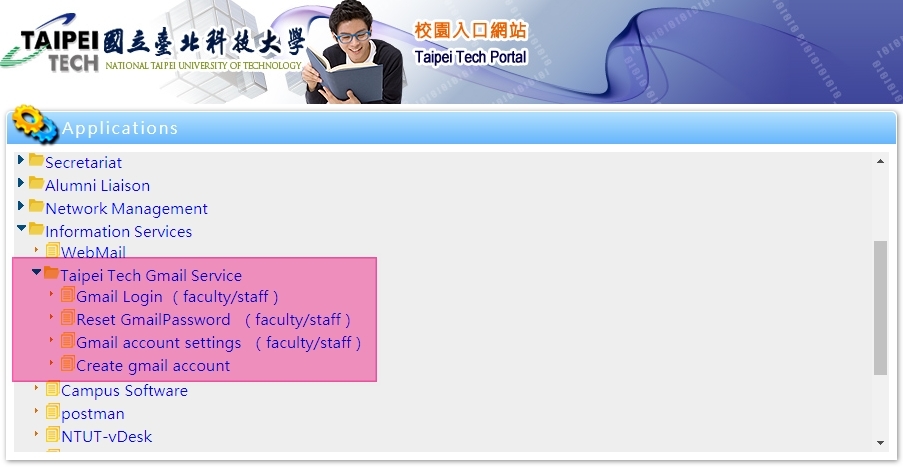
(Figure 1)
(Figure 1)
For Alumni
The Taipei Tech Email account (ex., t107123456@ntut.edu.tw) will automatically expire after graduating 3 years, however the Taipei Tech Gmail account (ex., t107123456@ntut.org.tw) is no expired limitation.
If you forgot your Gmail password, please email to: ronaldlin@ntut.edu.tw with your student ID number and related certified document for resetting.
If you forgot your Gmail password, please email to: ronaldlin@ntut.edu.tw with your student ID number and related certified document for resetting.